A palette is a set of colors. A scale is one color, in every tone you need.
Search "color scale generator" and half the results hand you a palette tool: a set of pretty, unrelated colors. That’s a different job.
This guide covers the tools that do the real one, each run through the same brief, with the facts side by side.
A scale is not a palette
A color scale is one hue resolved into an ordered ramp of tones: the 50, 100, … 900, 950 steps you assign to backgrounds, borders, text, and states. A palette picks colors that sit beside each other. A scale generates tones that sit along one. Theme an app or build a design system and you need scales, and far fewer tools make them well.
Scale: one hue, ordered by tone
Palette: distinct hues, side by side
A palette isn’t the wrong tool, just the answer to a different question: picking brand accents, art-directing an illustration, setting a mood, where distinct hues are the whole point. A scale takes over the moment one of those colors has to become a full, usable range.
What a good scale demands
Perceptual evenness. Steps that look equally spaced to the eye, not just even on paper.
OKLCH gets this right where HSL falls apart: a yellow and a blue at the same "lightness" look nothing alike. Why OKLCH wins.
Character, on purpose. Evenness is only the floor.
Shape the scale past it with lightness range and curve, chroma, and a little hue shift, or it comes out mechanical. How to shape one.
Contrast you can trust. Your text has to clear a real threshold.
WCAG 2 is the legal floor, but it overstates contrast near black, exactly where dark-mode ramps live, so a step can pass WCAG and still fail APCA. Check both.
Survival on a real screen. OKLCH lets you pick vivid colors that reach into P3, past what most sRGB monitors show.
Skip the gamut check and a step that looks great on your laptop clips and shifts on someone else’s screen.
The tools that do this
These six build scales, not palettes. Each went through the same brief: a primary, a neutral, and an error scale from a single seed.
The differences below come from the tool, not the task.
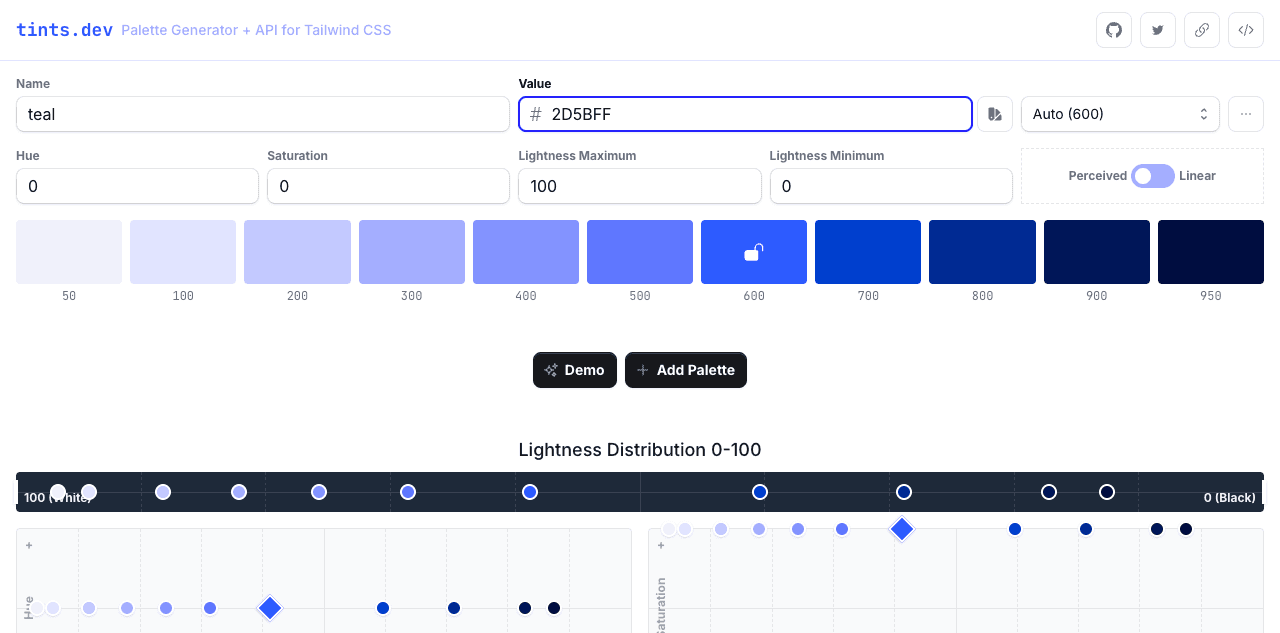
A Tailwind-first generator with a public API: paste a color, get an 11-step 50–950 ramp, and pull it into a build over HTTP.
It works in a perceptual mode and outputs Tailwind 3 config or Tailwind 4 @theme in oklch, hex, p3, or hsl, with several named palettes at once. Open source, free, and about as fast as this gets.
Speed over checks. No contrast or gamut tooling, and you judge the ramp as swatches and a distribution plot, never on your own interface.
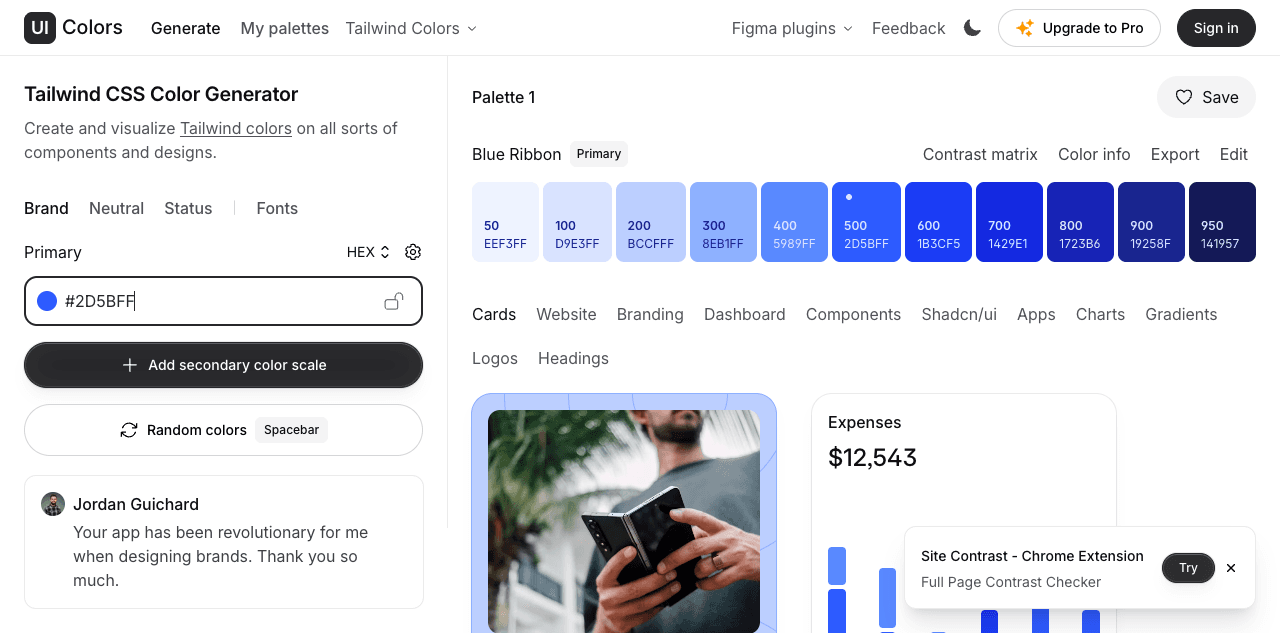
A polished Tailwind generator with the best previews in the set: your ramp rendered live across cards, dashboards, marketing layouts, and shadcn/ui components.
It anchors your color to the nearest step and splits work into Brand, Neutral, and Status scales with semantic naming. It looks like a full multi-scale system, and on the free tier you can see most of it without building it.
Most of it is Pro. A second scale, the contrast matrix, and CSS/oklch export are paywalled, so the free tier is one good-looking ramp.
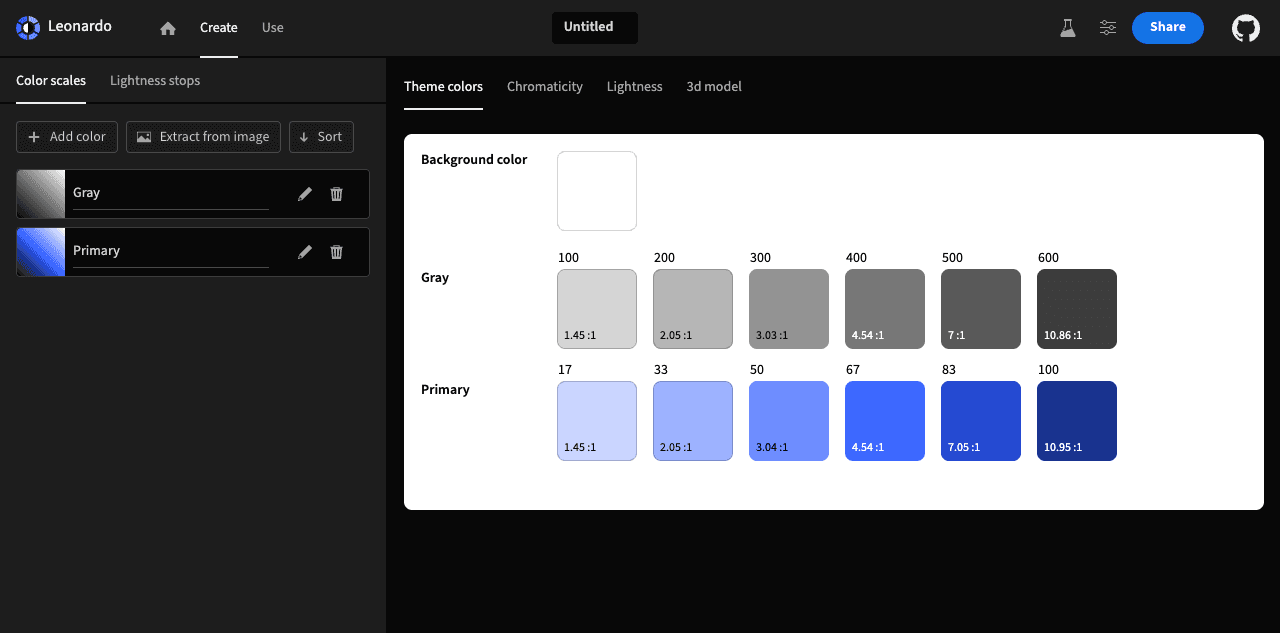
Adobe-born and open source, Leonardo runs the process backwards: instead of picking colors and checking them, you set a WCAG contrast target for each step and it solves the color that hits it against a chosen background.
It interpolates through key colors in CAM02, Lab, or OKLCH, and exports CSS custom properties, W3C design tokens, or JS. The same engine also ships as an npm library.
You think like a color scientist. It works in key colors, interpolation curves, and steps named by contrast rather than 50–950, and you judge the result on charts instead of a live interface.
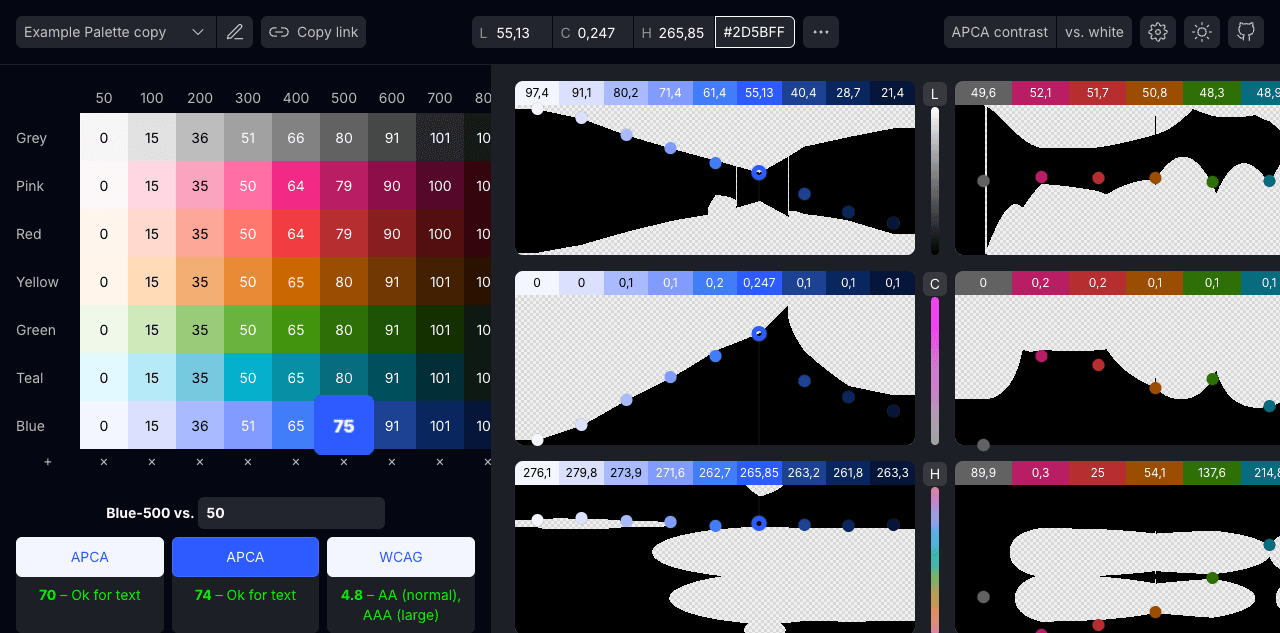
A perceptual-tuning workbench built around one big matrix: every hue is a row and every tone a column, and you hand-draw the lightness, chroma, and hue curves while WCAG and APCA update on every cell.
It works across sRGB, P3, and Rec.2020, and exports CSS variables and Figma tokens. No tool here gives you finer control over the exact shape of a ramp.
Control behind a wall. A hue matrix and four curve editors greet you before you’ve done anything, a lot to face for a first ramp.
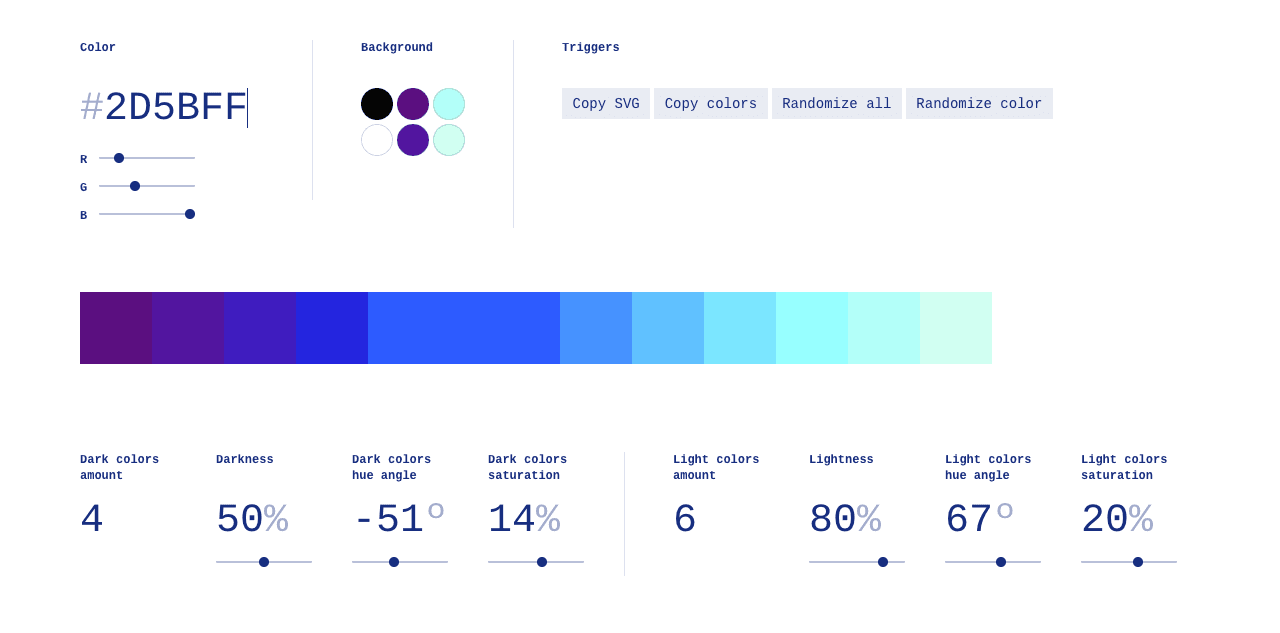
The minimalist: a base color, eight knobs that push the light and dark ends on their own (amount, darkness, lightness, hue angle, saturation), and a live row of swatches that redraws as you drag.
Copy the result as a hex list or an SVG. There is almost nothing to configure, which is the point.
A sketchpad, not a system. No step names, no contrast, one scale at a time, but the fastest way to a rough ramp.
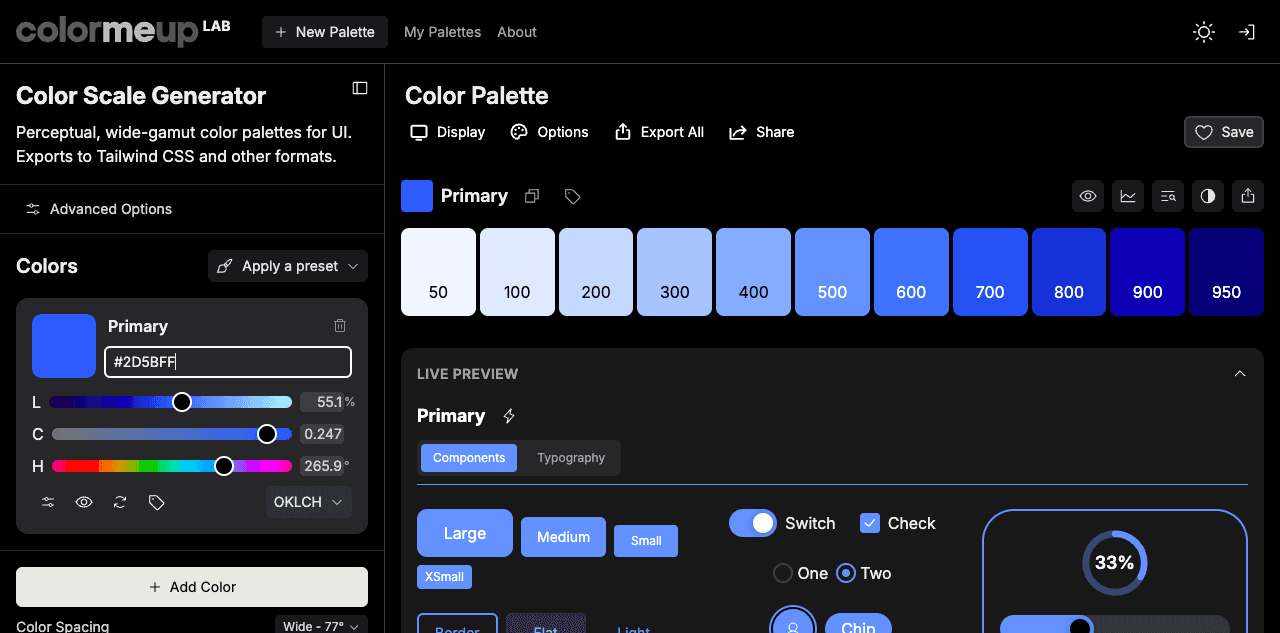
An OKLCH scale generator that turns one seed color into a coherent primary, neutral, and error system, verified against WCAG and APCA and gamut-checked step by step.
Paste a color and the full scale plus a live component preview land on the first screen, with the curves, gamut view, and contrast matrix behind Advanced Options. Export is paste-ready to Tailwind, CSS, or oklch(), and it’s free and open source.
Capable without the cockpit. The only tool here pairing a gamut-honest, contrast-verified system with a UI you don’t have to study first, free and open source. Where it loses is in the table below: no generating to a contrast target, no color-blind simulation.
I build one of these (ColorMeUp Lab), which is why you won’t find a "top 10" here or any scores. ColorMeUp Lab’s gaps sit in the same rows as everyone else’s.
Whichever tool you land on, hold it to the four demands above: perceptual evenness, character on purpose, contrast you can trust, survival on a real screen.
The Generator is where you check all four at once.